Runway Fashion Photography AI Prompt – Couture Catwalk Editorial
Create realistic couture catwalk images with this runway fashion photography AI prompt. Learn garment accuracy, lighting, camera settings, troubleshooting and examples.
Your creative starting point
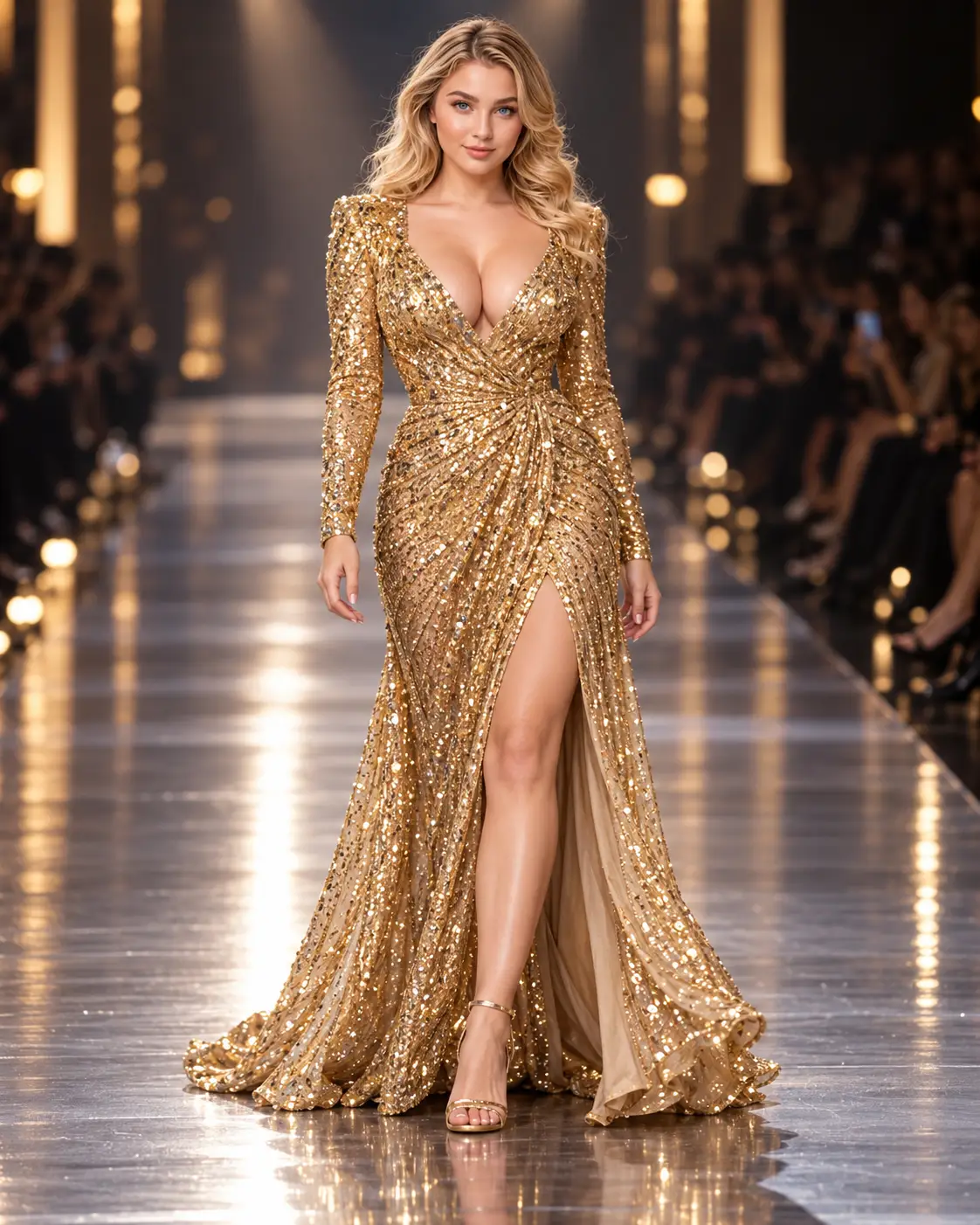
Create a high-resolution photorealistic runway fashion photograph of an adult model walking confidently down a contemporary catwalk in [COUTURE OUTFIT DESCRIPTION]. Show the full outfit, accurate garment structure, fabric weight, stitching, layers and natural motion. If a garment reference is supplied, maintain the original design and colours rather than inventing changes. Use controlled overhead runway spotlights, a darker softly blurred audience in the distance, realistic reflections on the runway floor, a 70mm fashion photography lens perspective, crisp subject focus, believable walking anatomy and restrained editorial colour grading. Compose vertically at 4:5 with adequate space around the entire garment and feet. Avoid impossible garment geometry, distorted hands, unrealistic faces, extra limbs, invented fashion-house branding, fake event signage, text and watermarks. Present it as a fictional runway concept, not documentary evidence of a real fashion show.
Results vary by model, version and settings. Make the prompt your own.
Runway fashion photography AI prompt: Create a realistic couture catwalk image with convincing fabric movement, controlled spotlights, accurate walking anatomy and an editorial camera perspective. This guide explains how to customise the prompt, preserve clothing details and correct common AI image errors.
What Is a Runway Fashion Photography AI Prompt?
A runway fashion photography AI prompt is a detailed instruction for an image-generation tool to create a fictional catwalk photograph. Instead of requesting a generic “fashion model on a runway,” it specifies the garment, model’s stride, lighting direction, audience, lens perspective and framing. Those choices help produce an image that looks like professional editorial photography rather than a digital illustration.
Use it for fashion moodboards, creative direction, conceptual lookbooks and fictional campaign visuals. A generated runway image is not proof that a designer, brand or collection appeared at an actual fashion event.
Copy the Runway Fashion Photography AI Prompt
Use the Copy prompt button in the prompt panel on this page. Replace [COUTURE OUTFIT DESCRIPTION] with a precise description of the clothes, or upload an authorised garment reference if your image tool supports it. The original copyable prompt is retained separately from this guide.
How to Customise the Prompt
1. Describe the garment precisely
Include silhouette, hemline, sleeve construction, fabric, colour and embellishments. For example: “a floor-length midnight-blue silk gown with a structured bodice, long fitted sleeves and subtle beadwork.” If you have a real product reference, prioritise matching the original garment rather than inventing details.
2. Choose a believable runway environment
Specify a straight catwalk, restrained overhead spotlights and an audience that falls softly out of focus. A clean runway gives the garment visual priority. Avoid fictional sponsor logos or event names that could imply a real show.
3. Set the camera position and crop
A full-length 4:5 vertical composition works well for an editorial portrait. A 70mm-style perspective can help avoid exaggerated limbs and feet. Keep room below the shoes and above the head so the outfit is not accidentally cropped.
4. Control motion and fabric physics
Ask for one natural walking stride, realistic weight distribution and fabric responding to movement. A flowing skirt should move differently from a stiff structured jacket. Check the foot positions, hems and shadows in each generated result.
5. Refine lighting and colour
Use one clear primary lighting direction with subtle fill. Sequins and satin need controlled highlights, while wool and matte textiles need visible surface texture. Request restrained colour grading to keep garment colours accurate.
Example Runway Photography Concept
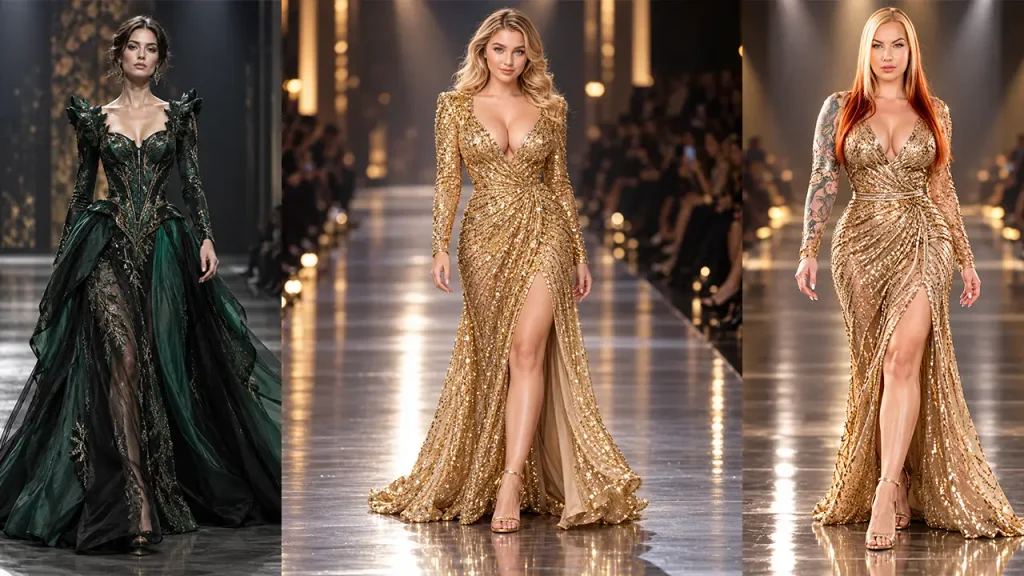
Illustrative result: The model is captured mid-stride under overhead runway lights. The pleats retain believable structure, the hem moves naturally, and a softly blurred audience frames the background. The shoes remain fully visible and the gown is the visual focus.
Three Useful Runway Variations
Minimalist Designer Runway
Replace the outfit placeholder with “a charcoal tailored wool suit with wide-leg trousers and a sharply constructed blazer.” Request a neutral runway, crisp seam detail and soft directional spotlights.
Evening Couture Catwalk
Try “a floor-length emerald velvet evening gown with subtle embroidery and a structured neckline.” Emphasise velvet texture, natural drape and controlled highlights rather than excessive glow.
Avant-Garde Fashion Concept
Describe “a fictional architectural outfit with sculpted fabric panels and asymmetrical tailoring.” Ask the generator to maintain physically plausible construction and natural body proportions.
Common AI Runway Photography Problems and Fixes
| Problem | Practical fix |
|---|---|
| Extra fingers or distorted legs | Use a single model, a natural walking pose and a clear full-length camera angle; regenerate if anatomy fails. |
| Changed clothing details | Upload multiple clear garment references and specify which features must remain unchanged. |
| Unrealistic sequins or fabric | Describe the textile’s actual weight and reflectivity; reduce exaggerated highlights. |
| Feet or hem cropped | Request generous space around the full figure and shoes in a 4:5 frame. |
| Fake logos or event signage | Request an unbranded fictional venue with no text or signage. |
| Flat runway lighting | Specify overhead key lights, subtle fill and a darker audience area. |
Runway vs Editorial Fashion Photography
Runway photography captures a walking model, the entire outfit and the atmosphere of a catwalk. Editorial fashion photography allows more flexibility in pose, setting and storytelling. If you want a studio or location-based fashion image instead, explore our Luxury Editorial Fashion Photoshoot AI Prompt. The two prompts complement each other when building a cohesive fashion concept series.
Quality Checklist Before Using an AI Fashion Image
- Verify garment silhouette, stitching, colour and accessories against the reference.
- Inspect hands, feet, walking anatomy and shadows.
- Confirm that no unintended branding, event signage or extra people appear.
- Choose a suitable crop and export an optimised image for the intended website or social platform.
- Label fictional AI runway concepts clearly, especially where they could be mistaken for a real fashion show.
Frequently Asked Questions
What is the best aspect ratio for AI runway fashion photography?
A 4:5 vertical format is a practical starting point for full-body editorial images. Use a wider frame when the runway environment or audience is important.
Can I use this prompt with ChatGPT or other image generators?
Yes, if the tool supports image generation from text. Reference-image support and accuracy vary by tool.
How do I preserve the exact design of a dress?
Provide authorised reference photographs from useful angles, describe the garment’s defining features and inspect the output. AI may still change fine details.
Can I use AI runway images commercially?
Review the generator’s terms and your rights to referenced clothing designs, logos and likenesses. Avoid implying a fictional image depicts a real brand event.
How can I make AI runway photos look more realistic?
Prioritise consistent lighting, natural movement, believable fabric physics, accurate anatomy and uncluttered framing rather than adding more effects.
About This Guide
Published by the Prompts Invention editorial team as a practical prompt-writing resource. The example above is illustrative; it is not presented as a verified tool test. Readers should independently check output accuracy, usage rights and the terms of their chosen image-generation service.
Final Thoughts
A useful runway fashion photography AI prompt balances creative styling with technical realism. Start with the copyable prompt, describe the garment carefully and evaluate the generated result against the checklist above. For a different fashion visual approach, see our luxury editorial photography guide.